
1
Select it on the page
Click Export in the MiroMiro panel, then the section you want. Or export the whole page.
Pick a section or a whole page on any website and paste it into Bricks Builder. Built and tested in a real Bricks install, it arrives in the next MiroMiro update.
Free to install · 3-day Pro trial · No card
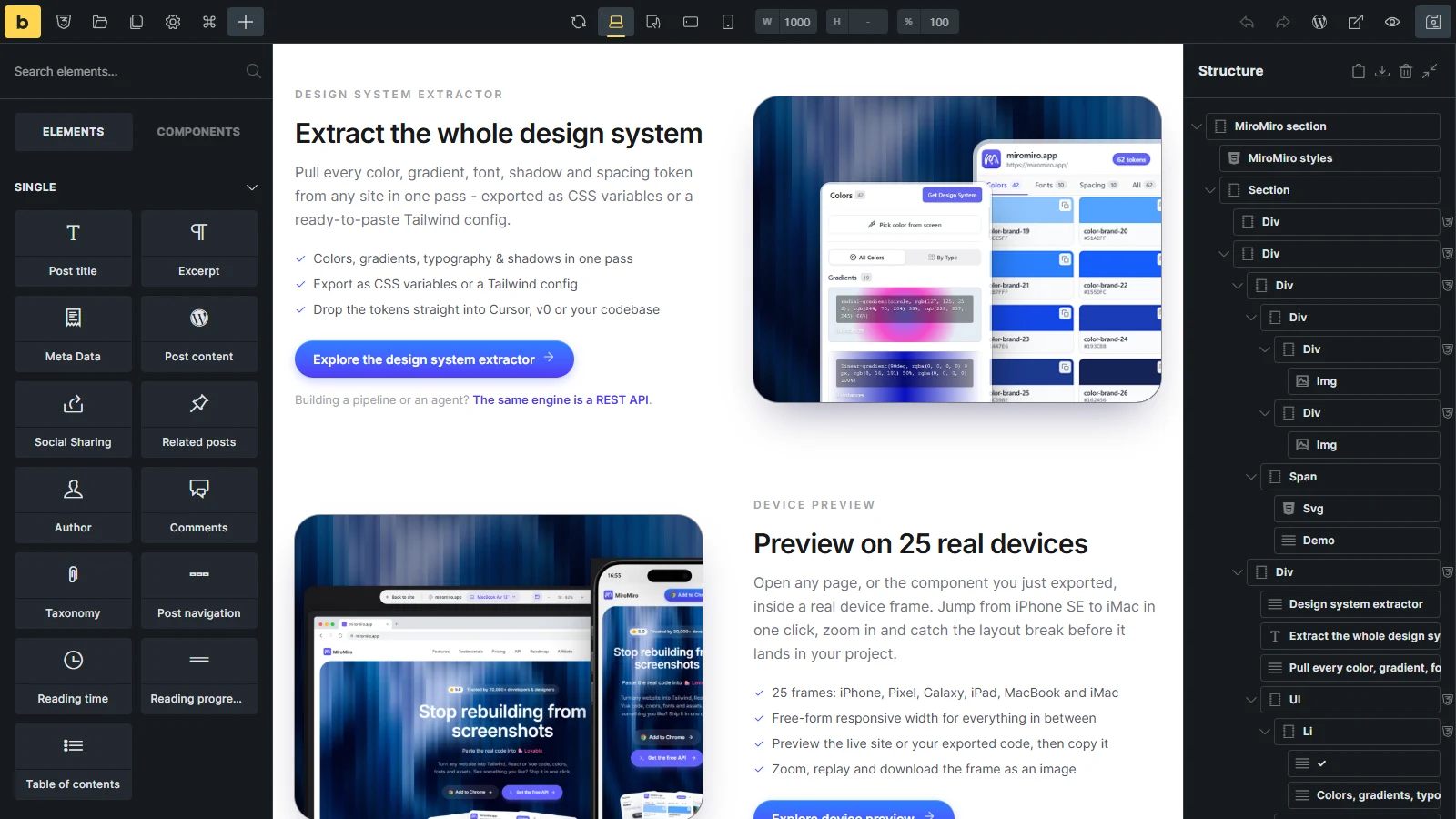
Real screenshot: a miromiro.app section exported and imported into Bricks, no edits.
Click Export in the MiroMiro panel, then the section you want. Or export the whole page.
Pick Bricks in the format row and click Copy.
Open the builder and press Ctrl/Cmd+V in the structure panel.
Arrives in the next MiroMiro update, for Chrome, Edge and Brave.
Divs for the layout, and Heading, Basic Text, Button and Image elements for the content, styled through Bricks' own controls. Click one and change it in the panel.
Copy and paste for one section. Or download a template file and import it under Bricks > Templates, which also saves the images into your media library.
Each section is measured at desktop, tablet and phone widths, and every element gets Bricks' own breakpoint values where the layout changes.
Export the whole page and it lands edge to edge in Bricks, from the header to the footer.
Pick a section or a whole page on any website and bring it into Bricks Builder. Paste it straight into the builder, or import it as a template, and you get native Bricks divs, headings, text, buttons and images that you edit in the panel, looking like the original on desktop and on phones.
Install MiroMiro now and the Bricks export turns up with the next update. Full Pro free for 3 days, no card needed.