
Claude
AI assistant by Anthropic - web & desktop
Connect the MiroMiro MCP and Claude, Cursor, ChatGPT or Codex can pull any website's real design - code, tokens, brand, fonts, SVGs - mid-task, instead of guessing from screenshots.
Pick your client. No key to paste - connect, approve the sign-in, done. Free accounts include 300 credits a month.
AI assistant by Anthropic - web & desktop
AI code editor with MCP support
Paste the prompt - it connects itself
Any other MCP client? Point it at https://miromiro.app/mcp · setup guide
No endpoints to remember - the assistant picks the right tool from plain language and works with resolved values, not screenshot guesses.
Point it at a live page and the agent gets the real component - markup, Tailwind classes, colors, spacing and copy resolved from the page's actual CSS cascade. React, Vue, Tailwind or plain HTML. Port your old site to a new stack without rebuilding it by hand.
Rebuild a sectionBuilt from the live page, not a screenshot guess - true values, real copy.
Ask for a site's look and the agent pulls the curated identity: named color roles, the full palette, primary fonts and logo - so new UI lands on-brand instead of "approximately purple".
Match a brand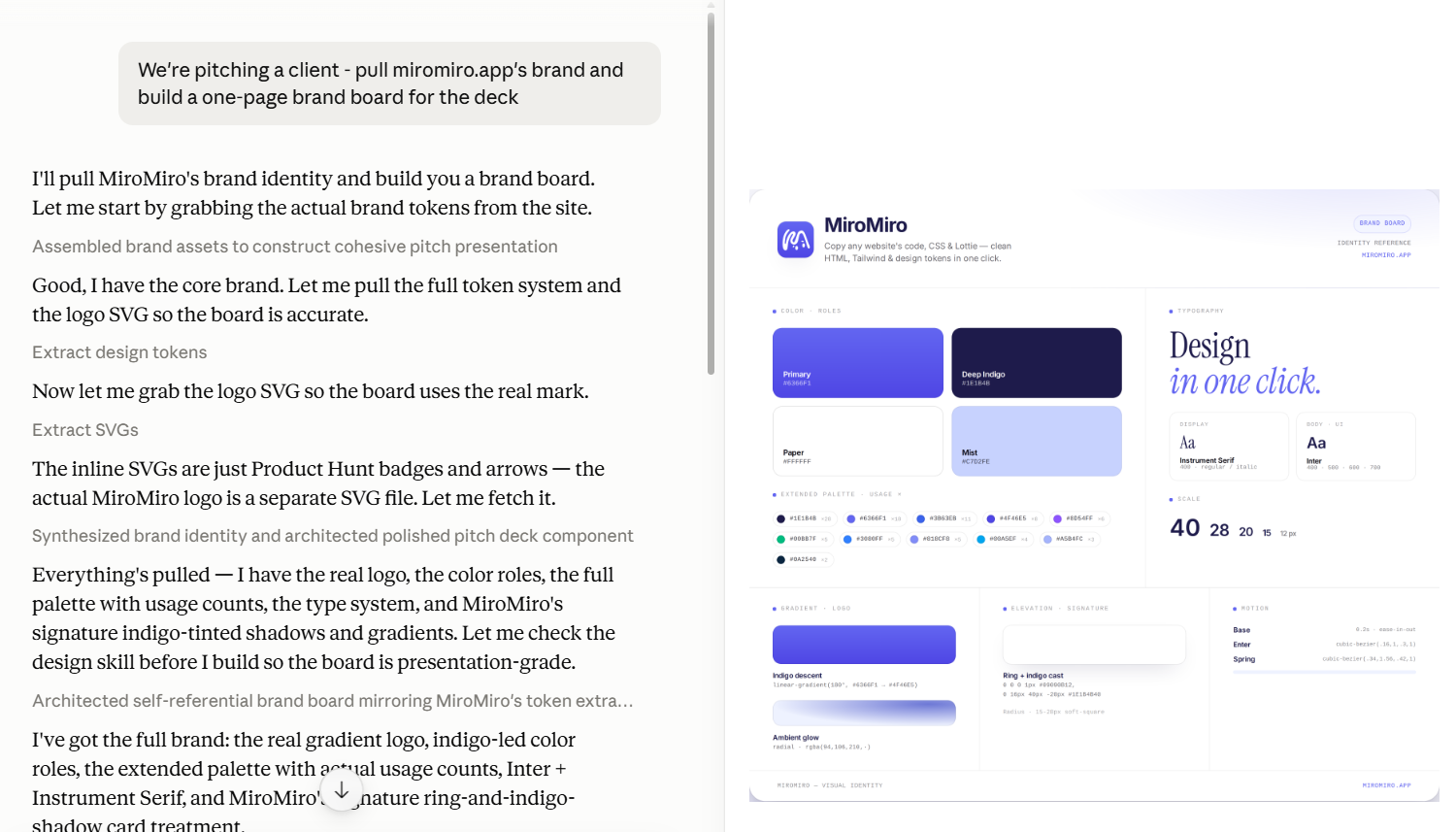 Real chat · Claude
 The full token system of any URL - colors, type scale, spacing, shadows, radii, motion, each with usage counts - as JSON or a paste-ready tailwind.config. Theme a new product from a reference site, onboard a client brand, or audit what a page actually ships.
Extract a design system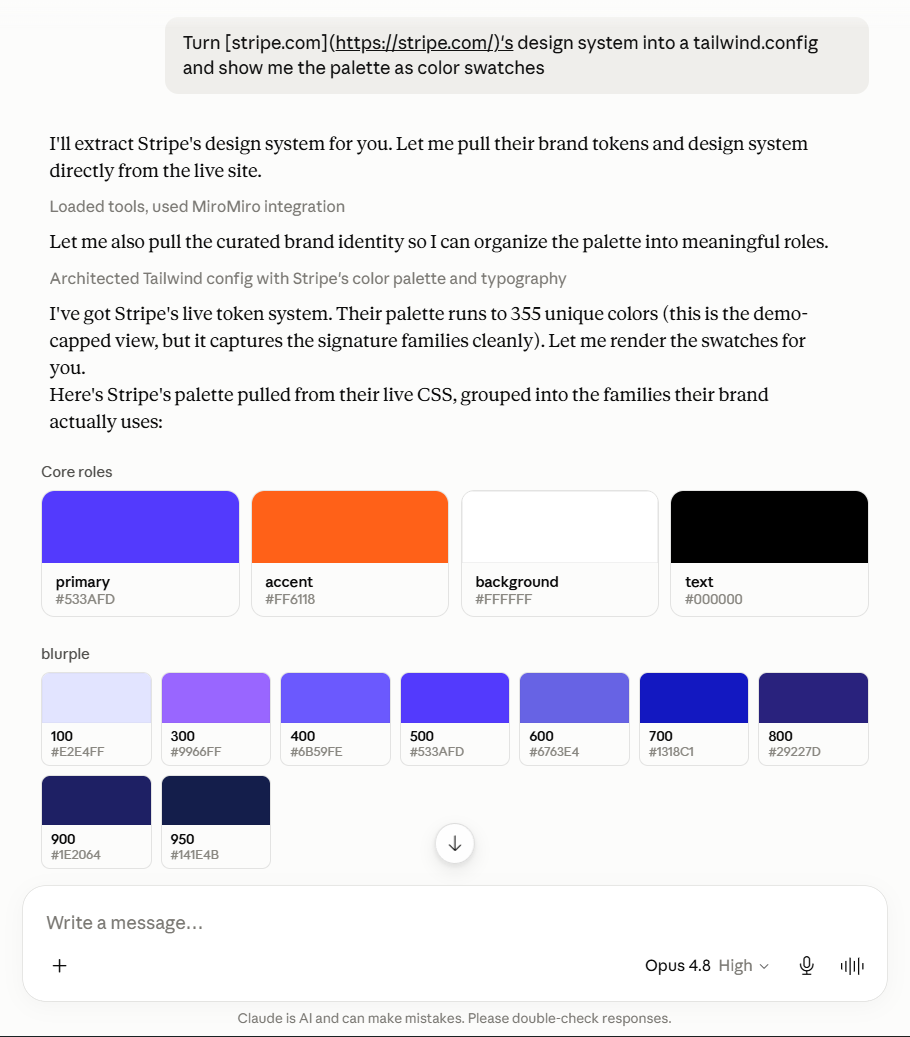 Real chat · Claude
 Nine tools, grouped by capability, discovered automatically the moment you connect. Each call spends the credits on its chip.
Turn any section of a live page into a self-contained component - real markup, Tailwind classes, tokens and copy from the actual CSS cascade. React, Vue or plain HTML.
The curated identity or the complete token system of any URL - color roles, palette, fonts, spacing, shadows, radii, motion, with usage counts.
The files a page actually ships: every image, inline SVGs as paste-ready code, font files resolved through the cascade, Lottie animation JSON, plus the videos and audio it declares.
Every tool is read-only. It fetches a public URL and parses what ships to the browser - nothing writes to your account. Cached repeats within 24 hours cost 0 credits, and failed calls are never billed.
Add miromiro.app/mcp to your client - the buttons above do it in one click.
Your client opens a MiroMiro sign-in - one click and you're linked with a free account. 300 credits a month, no card.
"What's stripe.com's palette?" - the assistant calls the tools itself and comes back with full, uncapped results from the first call.
MCP (Model Context Protocol) is the standard AI assistants use to call external tools. Adding the MiroMiro connector gives your assistant nine design-extraction tools it can call on its own, mid-conversation - you ask in plain language, it fetches the real design data.
Anything that speaks MCP over a URL: Claude on the web and desktop, Cursor, ChatGPT (developer mode), Codex, Claude Code, Grok Bot, Muse, Windsurf, and MCP SDKs. Each of the main ones has its own step-by-step page under /api/agents. There is also a local npm package (miromiro-mcp) if you prefer running it as a process with the key in an env var.
Yes, but it takes one click: when you connect, your client opens a MiroMiro sign-in - approve it and you're linked with a free account (300 credits a month, no card). You get full, uncapped results from your very first call. Prefer keys? ?access_key=mm_live_… and Bearer headers still work. Want a taste first? The web playground at /api/demo runs without an account.
The connector is free. With a key, each tool call spends the same credits as the matching API endpoint - from 1 credit for images or SVGs up to 25 for full section-to-code. Cached and failed calls are always free, and the free tier renews monthly.
The key travels over HTTPS and only to miromiro.app, and you can rotate or revoke it any time in the dashboard. If your client supports headers (Cursor, Claude Code, SDKs), prefer Authorization: Bearer so the key never appears in a URL at all.
Yes. The same nine tools exist as GET endpoints at miromiro.app/api/v1 with Bearer key auth - docs at /api/docs. The full machine-readable contract is the OpenAPI 3.1 spec at /api/openapi.json: import it into Postman, generate an SDK from it, or have your agent build its own tool definitions from it.
Connect it now, ask for any website's design, and watch it come back with the real thing.
300 free credits monthly · no credit card · one-click sign-in
 ChatGPT
 Claude
 Claude Code
 Codex
Codex Cursor
 Grok Bot
 OpenAI dots
 Muse
Muse