LottieアニメーションはモダンなWebデザインに欠かせない存在です。軽量でなめらか、どんな解像度でも美しく表示されます。しかし - ライブのWebサイトからダウンロードするのは長年の課題でした。それを解決するのがMiroMiroです。
このガイドでは、MiroMiroを使ってあらゆるWebサイトからLottieアニメーションのJSONファイルを抽出する方法を解説します。
Lottieアニメーションとは?
LottieはAirbnbが開発したJSONベースのアニメーションフォーマットで、現在ではWebアニメーションの業界標準となっています。モダンなWebサイトで見かける、なめらかなローディングアニメーションやアイコンの動き、マイクロインタラクションの多くがLottieで作られています。
- ファイルサイズが小さい - GIFの10〜100分の1
- 拡大しても劣化しない - どの画面サイズでも鮮明
- 編集できる - 色やプロパティをコードで変更可能
- マルチプラットフォーム - Web、iOS、Androidすべてに対応
課題:「保存」ボタンでは保存できない
Webサイトを見ていて、素敵なアニメーションアイコンに出会う。自分のプロジェクトに似たものを使いたい - でも、どうやってダウンロードすればいいでしょうか?
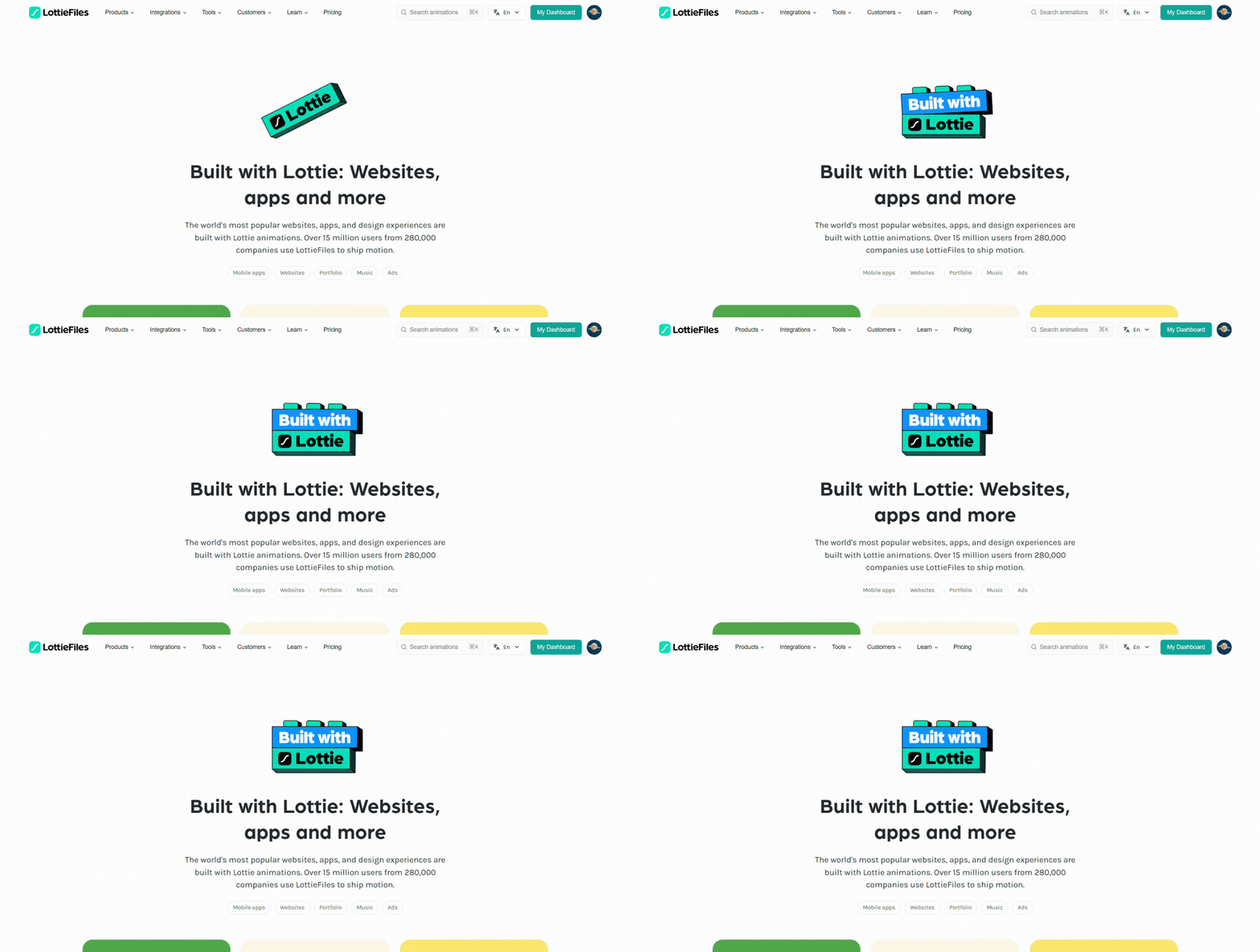
素敵なLottieアニメーションは至るところにありますが、保存するのは簡単ではありません。
通常の画像と違い、LottieファイルはJSONデータとして埋め込まれていたり、JavaScript経由で読み込まれています。右クリックでは保存できません。DevToolsを開いてネットワークタブを掘り起こすか、諦めるしかありませんでした。MiroMiroなら一瞬で解決します。
解決策:MiroMiroのLottie検出機能
MiroMiroはWebページ上のすべてのLottieアニメーションを自動検出し、プレビュー・ダウンロードをワンクリックで実現します。手順を見ていきましょう。
ステップ1:MiroMiroをインストール
まず、Chrome ウェブストアからMiroMiro拡張機能をインストールします。インストールは無料、3日間のフリートライアルでLottieダウンロードを含むすべての機能が利用可能 - クレジットカード登録は不要です。
- Lottieアニメーションの無制限ダウンロード
- CSSインスペクター - サイトのスタイルをコピー
- SVGエクストラクター - アイコンや図形を取得
- フォント検出 - 使用フォントを特定
- アセットダウンローダー - 画像・動画など
ステップ2:Lottieを使っているサイトを開く
Lottieアニメーションを使用しているWebサイトにアクセスします。Notion、Stripeをはじめ、数千ものランディングページがLottieを採用しています。
ステップ3:Lottieタブを開く
MiroMiro拡張機能のアイコンをクリックし、Lottieタブを開きます。ページ上のすべてのLottieアニメーションが自動検出され、ライブプレビュー付きで表示されます - ホバーや要素検証は一切不要です。
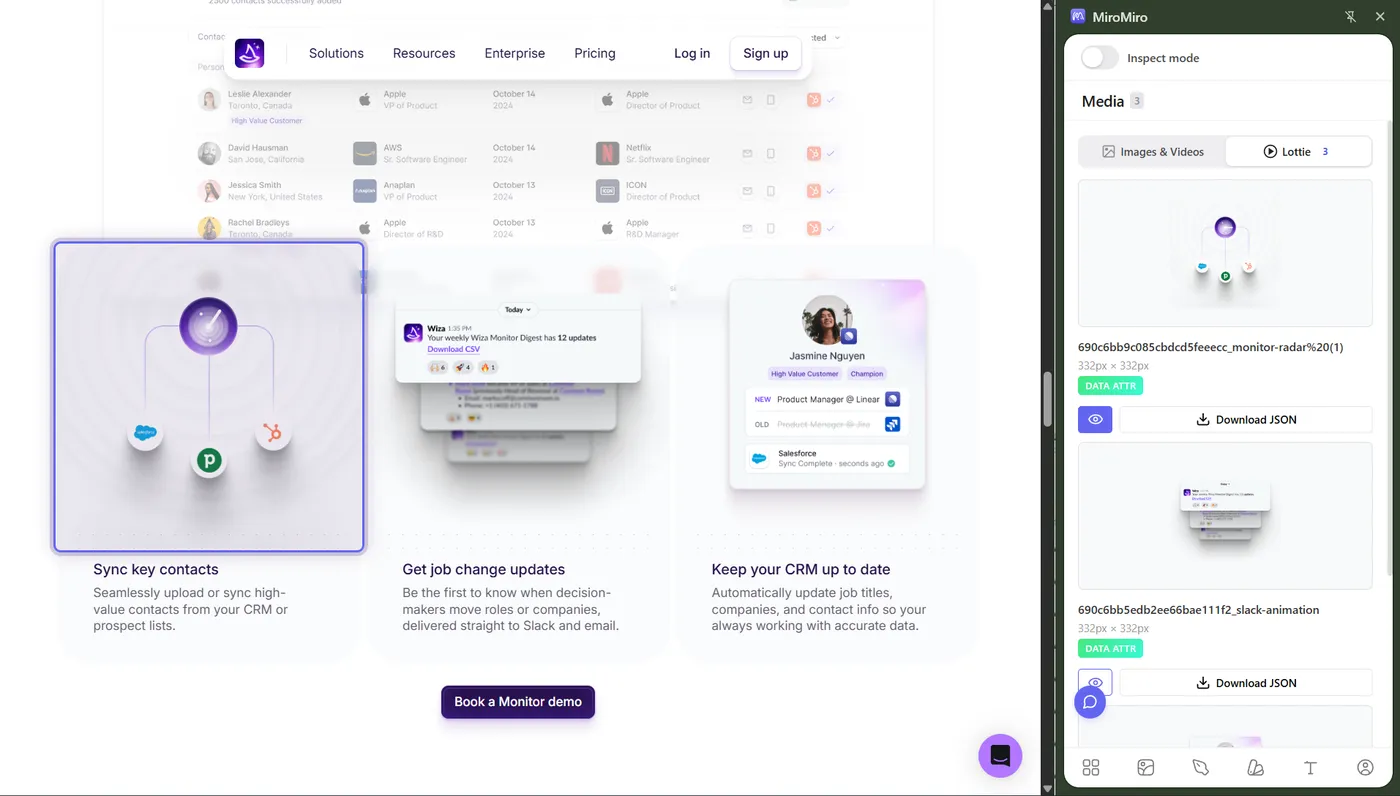
MiroMiroはページ上のすべてのLottieを自動的に発見します。
ステップ4:アニメーションをプレビュー
検出されたLottieをクリックすると、ライブプレビューが表示されます。再生・一時停止・スクラブができるので、欲しいアニメーションかどうか確認できます。
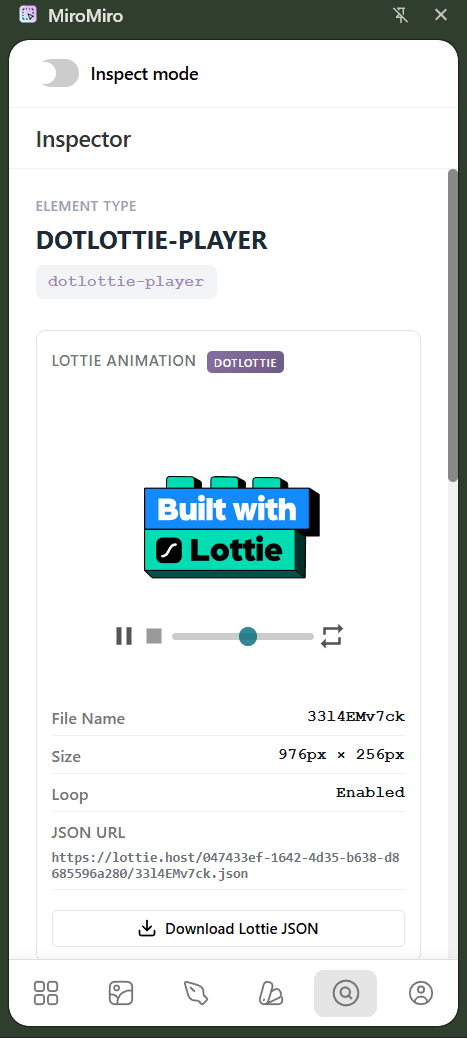
ダウンロード前にプレビューして、必要なものだけを選べます。
ステップ5:JSONとしてダウンロード
ダウンロードボタンをクリックすると、LottieアニメーションがJSONファイルとして保存されます。これだけで完了です。
ステップ6:Lottieを活用する
JSONファイルをお気に入りのツールに取り込みましょう:
- LottieFiles.com - 色やスピードを編集、各種フォーマットへ書き出し
- After Effects - Bodymovinプラグインでさらに編集可能
- 自分のWebサイト - Lottie Web PlayerやReactコンポーネントで利用
- Figma / Framer - アニメーションアセットとしてインポート
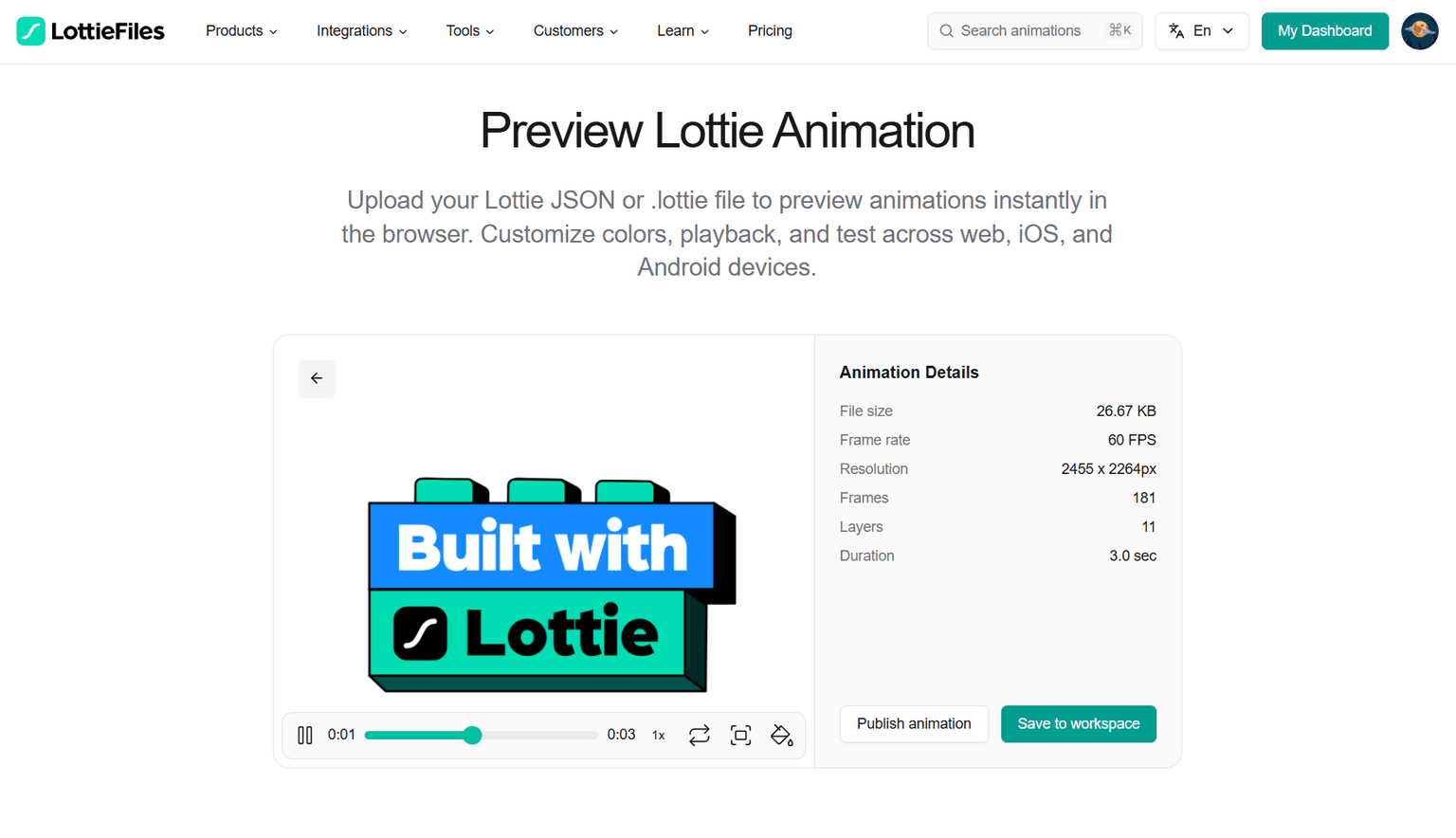
ダウンロードしたJSONはLottieFilesなどでさらにカスタマイズできます。
プラットフォーム別のLottie抽出
MiroMiroはWebページが読み込むLottie JSONファイル自体を検出するため、サイトが使っているプレイヤーやフレームワークに関係なく動作します。代表的なプラットフォームでの挙動を紹介します。
FramerサイトからLottieをダウンロードする方法
FramerサイトはLottieアニメーションを標準的なJSONファイルとして配信しているため、MiroMiroで確実に検出できます。公開されているFramerサイトを開き、MiroMiroのアイコンをクリックしてLottieタブを開くだけ - 各アニメーションがライブプレビュー付きで表示されます。ヒーローセクションのアニメーション、セクションアイコン、スクロール連動アニメーションなどすべて取得可能。JSONをダウンロードして、自分のFramerプロジェクトのLottieコンポーネントに直接読み込ませることができます。
その他のサイトビルダーやフレームワーク
MiroMiroは特定のプレイヤーライブラリではなく、Lottie JSON自体を検出する仕組みです。そのため、Webflow、Wix、Next.js、Nuxt、React、Vue、独自実装 - どのサイトでも動作します。ページがLottie JSONファイルを読み込んでいれば、Lottieタブに表示されます。
SaaSランディングページからのダウンロード
Stripe、Linear、Notion、Vercel、Figma、Raycast など、ほとんどのモダンなSaaSランディングページは標準的なLottie JSONとしてアニメーションを配信しています。ページを開いてLottieタブをクリックするだけで抽出可能 - マーケティングサイトは1ページに5〜20個のLottieを持つことも珍しくなく、まとめてプレビュー&ダウンロードできます。
Lottieが検出されない場合
一部のサイトは、LottieデータをJavaScriptバンドルに直接埋め込んだり、配信前にSVG・CSSに変換しています。この場合はJSONファイルとして読み込まれないため、MiroMiroでは検出できません。代わりに SVGエクストラクター または CSSインスペクター を使ってソースを取得しましょう。アセット自体が失われることはほとんどなく、別のフォーマットで取得できます。
ビデオで見る手順
実際の流れを動画で確認したい方はこちらをどうぞ:
よくある質問:Lottieアニメーションのダウンロード
MiroMiroでLottieをダウンロードするのは無料ですか?
はい。MiroMiroには 3日間の無料トライアル があり、クレジットカード登録は不要です。トライアル期間中はLottieアニメーションのダウンロードに加え、CSS・SVG・フォント・画像などの抽出機能もすべて使えます。トライアル後はStarterまたはProプランで継続できます。
ダウンロードしたLottieは商用利用できますか?
商用利用の前に、必ず元のアニメーションのライセンスを確認してください。MiroMiroはダウンロードを補助するツールであり、著作権の遵守はユーザーの責任となります。参考用として使うか、ライセンスがクリアなサイトからダウンロードするのが安全です。
JSONファイルは何に使えますか?
JSONファイルはLottieアニメーションそのものです。LottieFilesにインポートして色やスピードを編集したり、Lottie Web Playerで自分のサイトに組み込んだり、Bodymovinプラグイン経由でAfter Effectsで編集できます。
どんなWebサイトでも使えますか?
MiroMiroはWebページが読み込むLottie JSONファイルを検出するため、Framerサイトを含むほとんどのSaaSランディングページに対応しています。アニメーションデータをJavaScriptバンドルに埋め込んでいたり、SVG・CSSに変換しているサイトでは検出されないことがあります。その場合はSVGエクストラクターまたはCSSインスペクターをご利用ください。
ダウンロードしたLottieは編集できますか?
もちろんです。LottieFiles.com(無料)にJSONをアップロードすれば、色の変更やタイミング調整、GIF/MP4への変換ができます。元プロジェクトがあればAfter Effectsでも編集できます。
The lifetime math
€49
€69 now
€89
€149
The €49 launch price has ended. Lifetime is €69 until the current spots go , then it’s €89.
Your AI/design stack, monthly
- Cursor€20/mo
- Claude Pro€20/mo
- v0€20/mo
- Figma Dev Mode€15/mo
- MiroMiro Pro (monthly)€9/mo
Every year. Forever. Until you cancel.
MiroMiro lifetime - one-time
Paid once. Used forever. No renewals.
- Pays for itself in 8 months vs Pro monthly
- €39 saved in year 1 alone
- One less monthly bill in your stack, permanently
あわせて読みたい
- Lottieアニメーションを使用しているWebサイト一覧:MiroMiroでスキャンした実例サイト、各サイトのLottie数つき
- 無料Lottieアニメーション:おすすめリソース集:無料Lottieファイルが手に入るライブラリ・マーケットプレイス
- Lottieプレビューツール:LottieJSONをオンラインで無料テスト・プレビュー
- Lottieアニメーションエクストラクター:Webサイトから直接Lottieを抽出する機能
- SVGエクストラクター:LottieとあわせてSVGアイコン・グラフィックも取得
ワークフローを高速化する準備はできましたか?
MiroMiroで毎週何時間も節約している20,000人以上のデザイナーと開発者に参加しましょう。
Soraia · MiroMiroのファウンダー
Soraiaは、20,000人以上のデザイナーや開発者がライブサイトからクリーンなコード、デザイントークン、アセットを抽出するために使うChrome拡張機能、MiroMiroを開発しています。これらのガイドは、Stripe、Linear、Vercelといった実際のサイトでこのワークフローを毎日テストした経験から生まれています。
Xでフォロー言葉だけでは信じられないなら
MiroMiroが自分に合うか迷っていますか?
お気に入りのAIに聞いてみましょう。ボタンを押すだけで、あらゆるWebサイトからコード・デザイントークン・アセットを抽出する性能について教えてくれます。