1
Select it on the page
Click Export in the MiroMiro panel, then the section you want. Or export the whole page.
Pick a section or a whole page on any website and import it into WordPress. It looks like the original, on desktop and on phones.
Free to install · 3-day Pro trial · No card
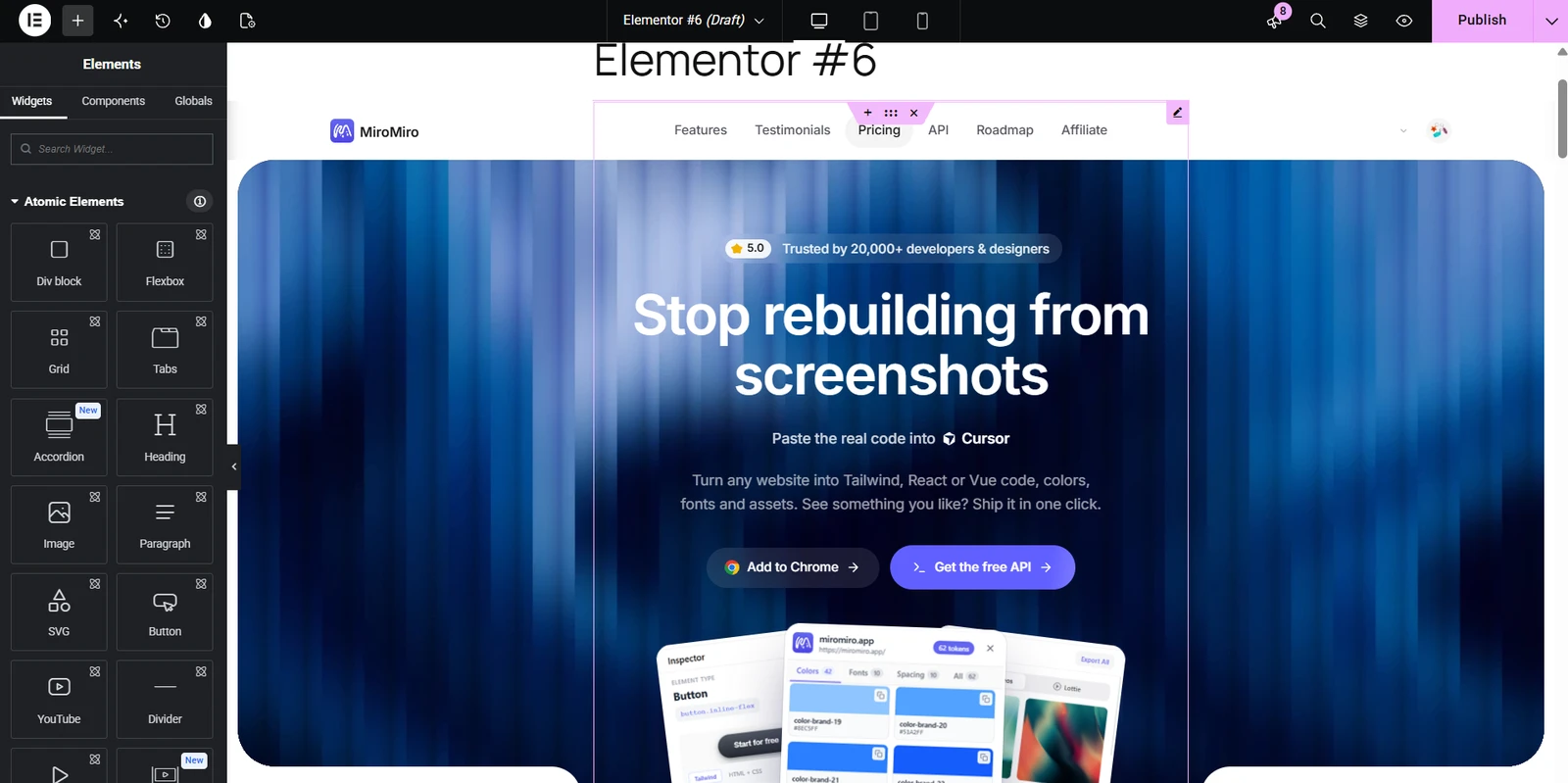
Real recording: miromiro.app exported and imported into Elementor, no edits.
Click Export in the MiroMiro panel, then the section you want. Or export the whole page.
Pick Elementor in the format row and download the .json file.
Templates, Saved Templates, Import. Then insert it on any page.
All three steps work today, with the free Elementor plugin.
Same layout, fonts, colors and images, open and editable in the Elementor editor.
The site's own responsive rules come with the template, so it adapts like the source does.
Export the whole page and it lands edge to edge on Elementor Canvas, header to footer.
Standard Elementor JSON with the section's real markup and styles. Works with the free Elementor plugin, no Pro needed.
Pick a section or a whole page on any website and download it as an Elementor template. Import it into WordPress and it looks like the original, on desktop and on phones.
Install MiroMiro, click a section, download the template. Full Pro free for 3 days, no card needed.