Lottie animations are everywhere – smooth, lightweight, and perfect for modern web design. But downloading them from live websites has always been a pain. Until now.
Here's how to extract Lottie animation JSON files from any website using MiroMiro.
What Are Lottie Animations?
Lottie is a JSON-based animation format created by Airbnb that's become the industry standard for web animations. Think of those smooth loading spinners, animated icons, and micro-interactions you see on modern websites – many of them are Lottie files.
- Tiny file size – 10-100x smaller than GIFs
- Scalable – Looks crisp on any screen resolution
- Editable – Change colors and properties with code
- Cross-platform – Works on web, iOS, Android, and more
The Problem: You Can't Just "Save As"
You're browsing a website and spot a beautiful animated icon. You want to use something similar in your project, but how do you download it?
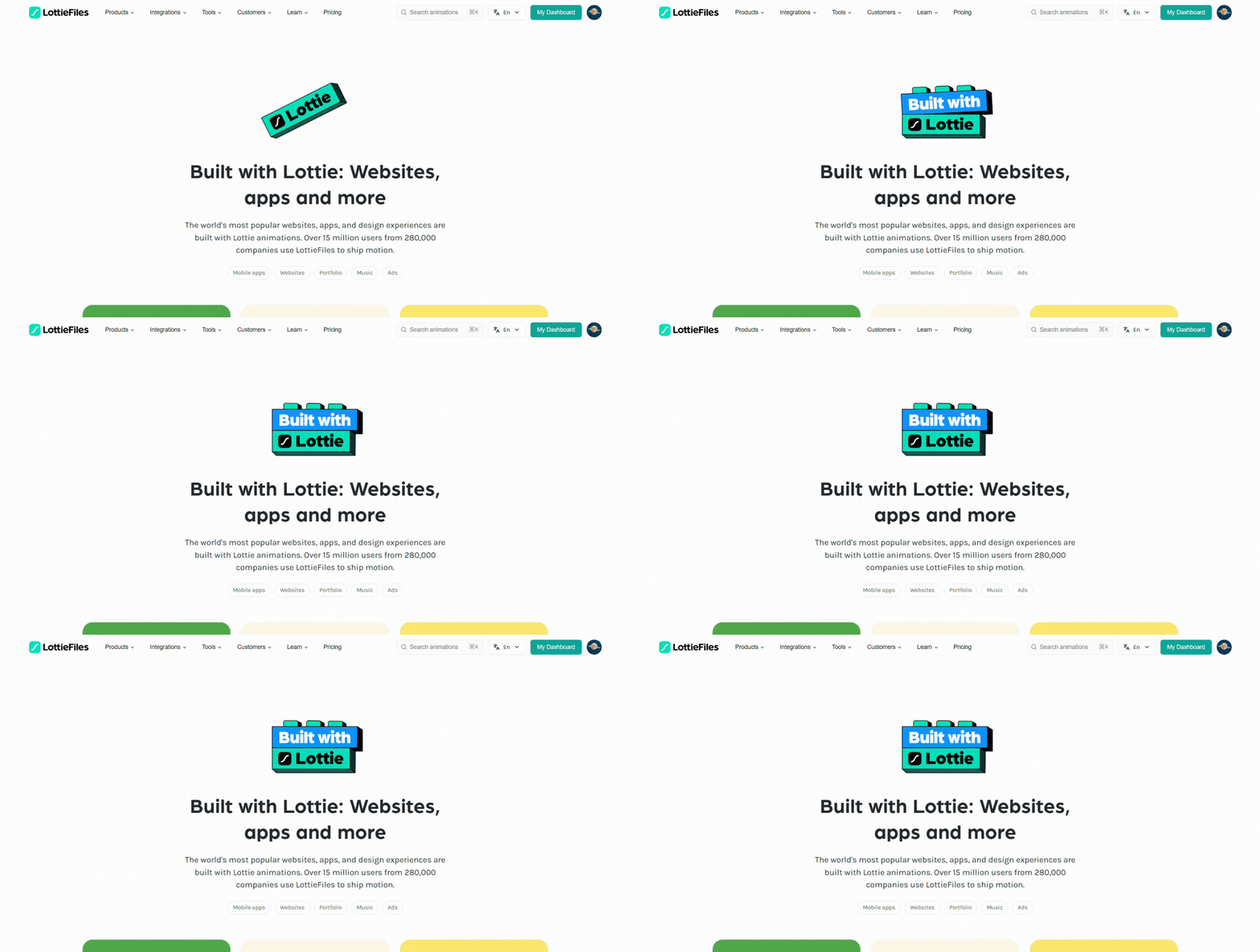
Beautiful Lottie animations are everywhere, but saving them isn't straightforward.
Unlike regular images, Lottie files are embedded as JSON data or loaded via JavaScript. You can't right-click and save them. You'd need to dig through DevTools, hunt for network requests, or just give up. MiroMiro solves this instantly.
Do this on any live website
MiroMiro inspects any site in your browser - CSS, assets, colors, and clean code, one click away.
The Solution: MiroMiro's Lottie Detector
MiroMiro automatically detects every Lottie animation on any webpage and lets you preview and download them with a single click. Here's how it works:
Step 1: Install MiroMiro
First, install the MiroMiro Chrome extension from the Chrome Web Store. Free to install and try, no credit card required.
- Download Lottie animations
- CSS Inspector: copy any site's styles
- SVG Extractor: grab icons and graphics
- Font Detector: identify any typography
- Asset Downloader: images, videos, and more
Step 2: Browse Any Website with Lottie
Visit any website that uses Lottie animations. Popular sites like Notion, Stripe, and thousands of landing pages use Lottie for their animations.
Step 3: Open the Lottie Tab
Click the MiroMiro extension icon and open the Lottie tab. The extension automatically detects every Lottie animation on the page and shows them as a live preview. No hovering or inspecting required.
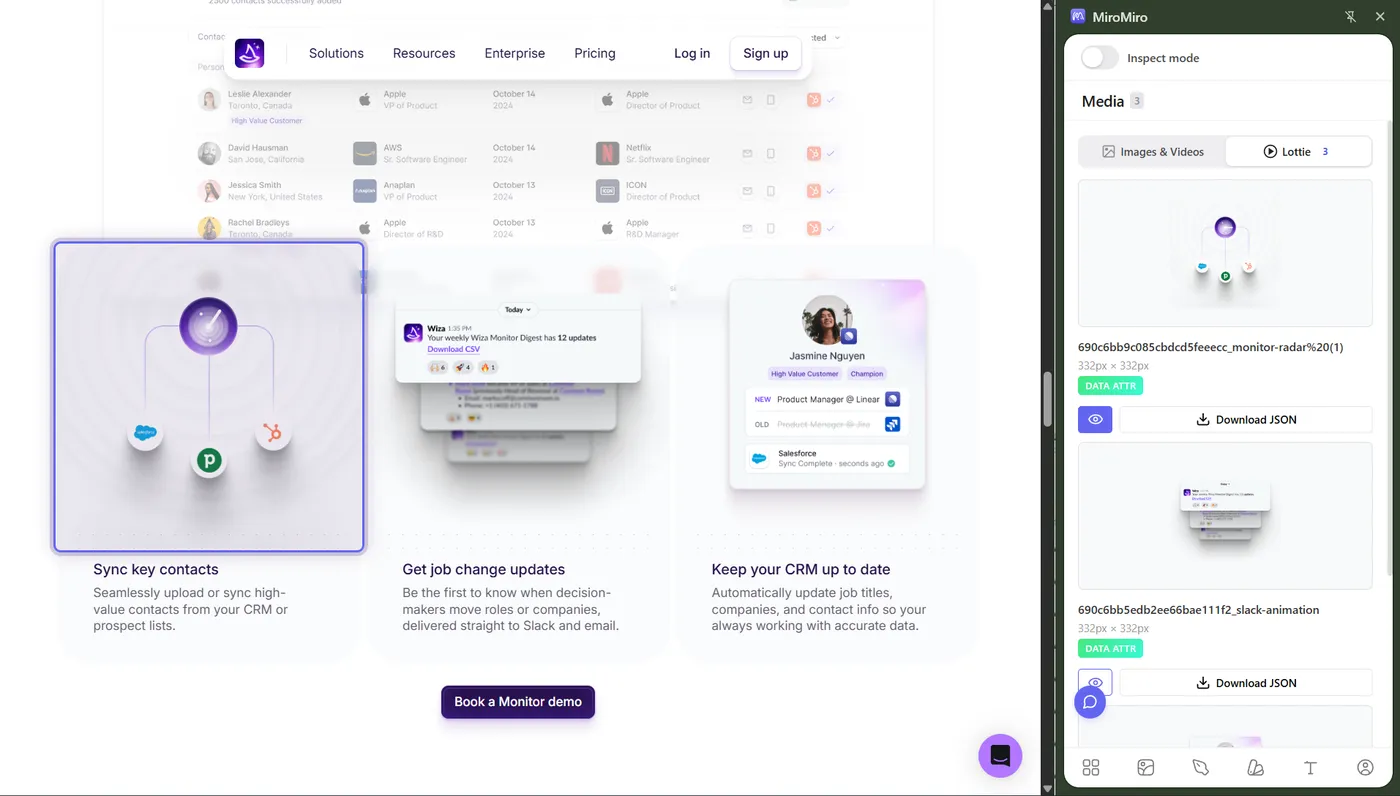
MiroMiro automatically finds every Lottie on the page.
Step 4: Preview the Animation
Click on any detected Lottie to see a live preview. You can play, pause, and scrub through the animation to make sure it's what you want.
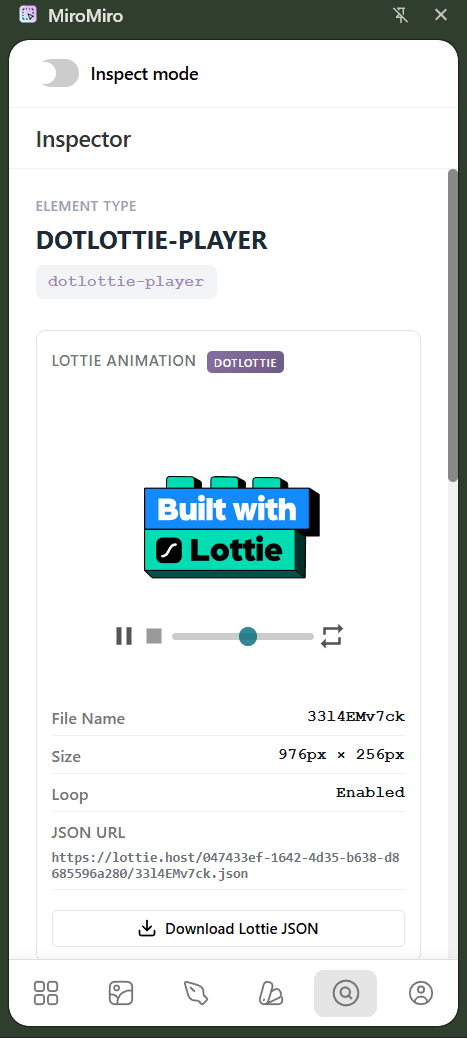
Preview animations before downloading to find exactly what you need.
Step 5: Download as JSON
Click the download button to save the Lottie animation as a JSON file. That's it! You now have the raw animation file.
Step 6: Use Your Lottie Animation
Import the JSON file into your favorite tools:
- LottieFiles.com – Edit colors, speed, and export to different formats
- After Effects – Import with the Bodymovin plugin for further editing
- Your website – Use the Lottie Web Player or React component
- Figma/Framer – Import as animated assets
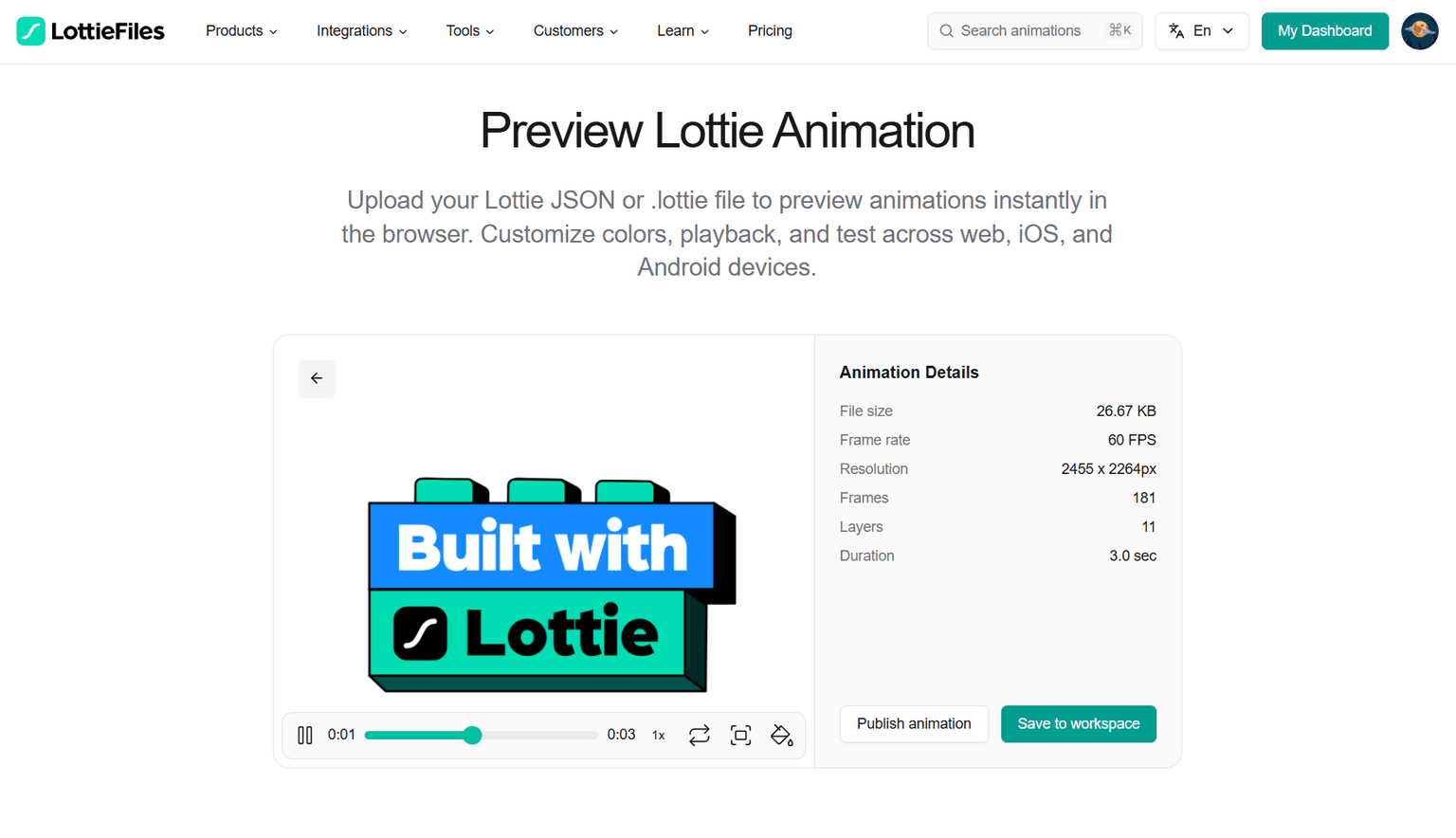
Import your downloaded JSON into tools like LottieFiles for further customization.
Extracting Lottie from Specific Platforms
MiroMiro detects the actual Lottie JSON files loaded by a webpage - so it works the same way regardless of which player or framework the site uses. Here's what to expect on the platforms you're most likely to run into.
How to download Lottie from Framer sites
Framer sites ship Lottie animations as standard JSON files, which MiroMiro detects reliably. Open any published Framer site, click the MiroMiro icon, and open the Lottie tab - you'll see each animation listed with a live preview. Hero animations, section icons, and scroll-triggered Lotties are all picked up. Download as JSON and drop straight back into your own Framer project via the Lottie component.
How to download Lottie from any other site builder or framework
Because MiroMiro looks for the underlying Lottie JSON rather than a specific player library, it doesn't care whether the site is built on Webflow, Wix, Next.js, Nuxt, React, Vue, or a hand-rolled stack. If the page loads a Lottie JSON file, MiroMiro surfaces it in the Lottie tab.
How to download Lottie from SaaS landing pages
Most modern SaaS landing pages (Stripe, Linear, Notion, Vercel, Figma, Raycast) serve their animations as standard Lottie JSON. Open the page, click the Lottie tab, and extract - marketing sites often have 5–20 Lotties per page, and you can preview and download them in one session.
When Lottie isn't detected
A small number of sites inline Lottie data directly into a JavaScript bundle or convert animations to SVG/CSS before shipping - in those cases the JSON never loads as its own file, so there's nothing for MiroMiro to detect. Use the SVG Extractor or CSS Inspector to grab the source instead. You almost never lose the asset; you just grab it in a different format.
Video Walkthrough
Watch this quick tutorial to see the entire process in action:
The lifetime math
€49
€69 now
€89
€149
The €49 launch price has ended. Lifetime is €69 until the current spots go , then it’s €89.
Your AI/design stack, monthly
- Cursor€20/mo
- Claude Pro€20/mo
- v0€20/mo
- Figma Dev Mode€15/mo
- MiroMiro Pro (monthly)€9/mo
Every year. Forever. Until you cancel.
MiroMiro lifetime - one-time
Paid once. Used forever. No renewals.
- Pays for itself in 8 months vs Pro monthly
- €39 saved in year 1 alone
- One less monthly bill in your stack, permanently
Keep Reading
- Websites That Use Lottie Animations: Real sites we've scanned with MiroMiro, showing how many Lotties each one loads
- Free Lottie Animations: Best Resources: Top libraries and marketplaces for free Lottie files
- Lottie Preview Tool: Test and preview Lottie JSON files online for free
- Lottie Animation Extractor: Extract Lottie animations from any live website
- SVG Extractor: Extract SVG icons and graphics alongside your Lottie files
- Website Cloner: Beyond assets, clone whole sections of a live site into clean, reusable code
Ready to speed up your workflow?
Join 20,000+ designers and developers who save hours every week with MiroMiro.
Soraia · Founder of MiroMiro
Soraia builds MiroMiro, a Chrome extension used by 20,000+ designers and developers to extract clean code, design tokens, and assets from live websites. These guides come from testing the workflow daily on real sites like Stripe, Linear, and Vercel.
Follow on XDon't take our word for it
Not sure if MiroMiro is right for you?
Let your favorite AI do the thinking. Click a button and see what it says about extracting code, design tokens, and assets from any website.