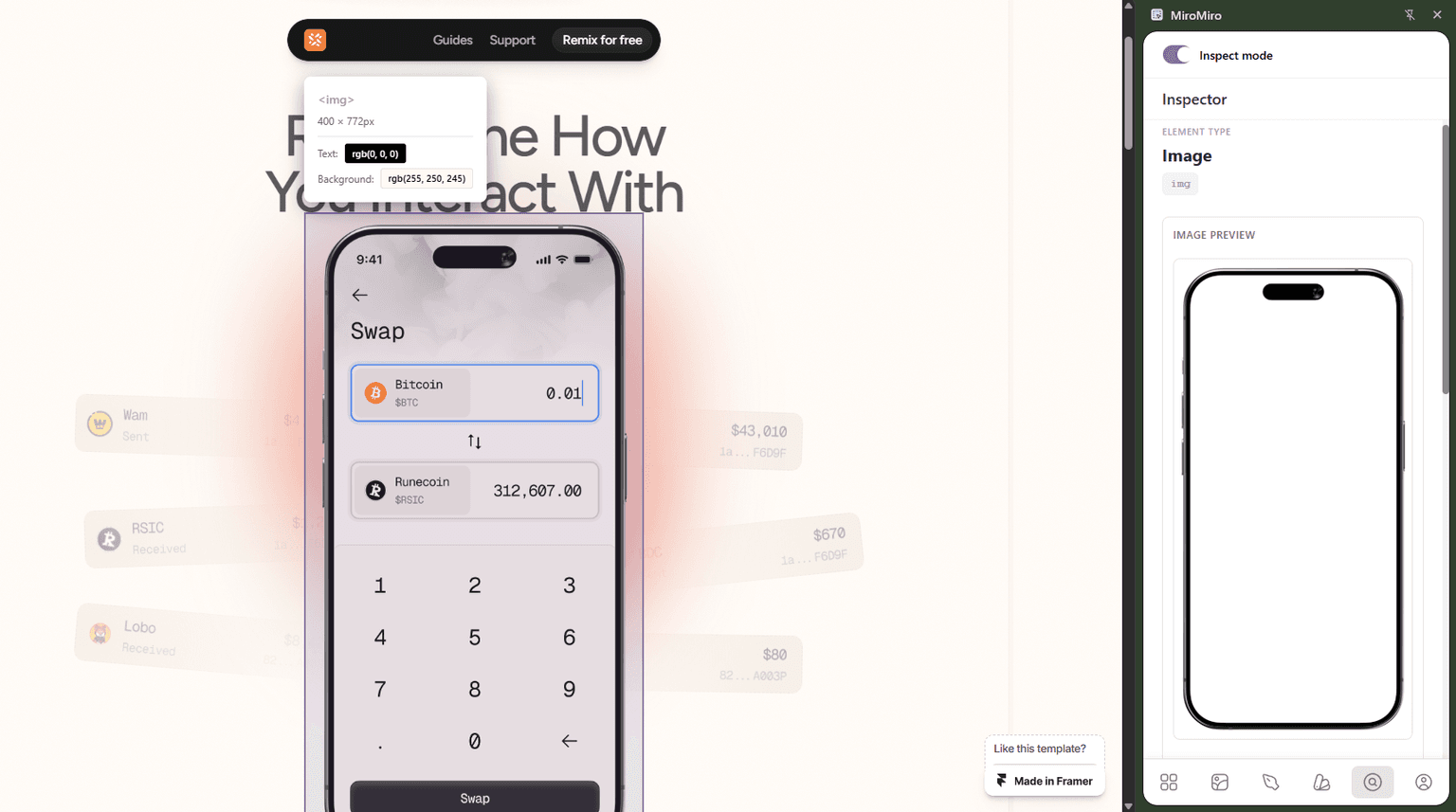
Every frontend developer has heard some version of this request:
"Can you make it look like Stripe?""Build something similar to Linear's pricing section.""Clone the hero from this site."
And every developer knows the answer isn't "sure, one second." Even with a reference screenshot, you're still writing layout from scratch, guessing at spacing and colors, hunting for the fonts they used.
This guide covers a faster path: extract the design system from the reference site, grab its assets, and generate code that starts from the real values-not a best-guess approximation.
What You're Actually Doing When You "Clone" a Section
Let's be specific about the word "clone." For this guide, it means:
✅ Building a component that looks visually similar-using the same visual language (colors, fonts, spacing, border radius) as the reference
❌ Not copy-pasting HTML from the source-which would include proprietary code, class names from their codebase, and stuff tied to their stack
The legal and ethical approach is to extract the design values (which are often not protected) and write fresh code using those values. You end up with something that looks similar but is entirely your own code.
Why Hand-Coding from a Screenshot Is Slow
When you work from a screenshot or reference URL, here's what you manually do:
- Pick colors - Open color picker or DevTools eyedropper, match hex values. Miss the CSS variable names. Wonder if that slightly off-gray is intentional.
- Figure out fonts - Open DevTools → Computed → find
font-family. Do this for every text style. Then find the Google Fonts link. - Guess spacing - Try 24px. Nope, 20px. Actually 1.5rem. Switch between browser and editor constantly.
- Find border radius - Inspect the button. Inspect the card. Inspect the input.
- Match shadows - Open DevTools → search through layers to find the box-shadow value. Copy it. It looks slightly wrong in your code for reasons you can't immediately identify.
- Download SVG icons - Hunt through the DOM for each one.
For a single hero section, this takes 45–90 minutes of inspection work before you write a single line of real code.
The Faster Workflow
Here's the same process with MiroMiro:
- Export the section to code - Select any section on the page and export it as production-ready HTML & CSS instantly. No manual layout work.
- Extract design tokens - 30 seconds. Every color, font, spacing value, radius, shadow.
- Grab SVG icons - Hover → copy. 10 seconds each.
- Download images - Hover → download. 5 seconds each.
- Adapt and ship - Adjust the exported code to your framework and data.
The extraction work drops from 60+ minutes to under 5. The rest of your time goes toward adapting, not rebuilding.
Skip Even Further: Export the Section Directly to Code
If you want to go even faster, MiroMiro's section export feature lets you skip the manual layout step entirely.
How it works: Browse to any website, hover over a section (hero, pricing table, navbar, footer, card grid), select the block, and MiroMiro exports it as clean, production-ready HTML & CSS.
You get the actual structure - not a screenshot, not a wireframe - ready to drop into your project and customize.
This is especially useful for:
- Prototyping at speed when a client needs something "like this" by tomorrow
- Internal tooling where you want to move fast without worrying about copyright
- Learning how a layout is built before you write your own version
The exported code still uses the design tokens you extracted - same colors, spacing, and fonts - so everything stays consistent.
Step-by-Step: From Reference Website to Working Code
Let's walk through cloning a pricing section-one of the most common requests.
Step 1: Extract the design system
Go to miromiro.app/app/design-tokens and enter the URL of the reference site.
You get back the design system in JSON. Export it as a Tailwind config extension:
// tailwind.config.js additions
colors: {
  primary: '#7c3aed',
  'primary-dark': '#6d28d9',
  neutral: {
    50: '#fafafa',
    100: '#f4f4f5',
    800: '#27272a',
    900: '#18181b',
  }
},
fontFamily: {
  sans: ['Inter', 'system-ui', 'sans-serif'],
},
borderRadius: {
  '2xl': '1rem',
  '3xl': '1.5rem',
},
Now your Tailwind config speaks the same visual language as the reference site. The colors, fonts, and border radii match.
Step 2: Install the Chrome extension and grab assets
Install MiroMiro and go to the reference site.
For SVG icons: Hover over any icon or logo and click to copy. Paste directly into Figma or save as .svg files in your project's public/icons/ directory.
For images: Hover over hero images, product screenshots, or decorative graphics and click to download. You'll get the actual image file at the highest resolution served.
Step 3: Identify the component structure
Open DevTools on the reference site and understand the HTML structure. Not to copy it verbatim-but to understand the layout architecture:
- Is the pricing section a flex row or a CSS grid?
- How many columns? Do they collapse on mobile?
- What's the card structure-header, body, footer divs?
- Where does the "popular" badge sit in the DOM?
Sketch the structure mentally (or literally), then write your own clean HTML for it.
Step 4: Write your component with the extracted values
Here's how a pricing card looks when you start from extracted tokens instead of guessing:
// PricingCard.tsx
function PricingCard({ plan, price, features, isPopular }) {
  return (
    <div className={`
      relative rounded-3xl border p-8
      ${isPopular
        ? 'border-primary bg-primary text-white shadow-xl'
        : 'border-neutral-200 bg-white text-neutral-900'
      }
    `}>
      {isPopular && (
        <span className="absolute -top-3.5 left-1/2 -translate-x-1/2
          rounded-full bg-white px-4 py-1 text-xs font-semibold text-primary">
          Most Popular
        </span>
      )}

      <h3 className="font-semibold text-xl">{plan}</h3>

      <div className="mt-4 flex items-baseline gap-1">
        <span className="text-4xl font-bold">${price}</span>
        <span className="text-sm opacity-70">/month</span>
      </div>

      <ul className="mt-6 space-y-3">
        {features.map(feature => (
          <li key={feature} className="flex items-center gap-2 text-sm">
            <CheckIcon className="h-4 w-4 flex-shrink-0" />
            {feature}
          </li>
        ))}
      </ul>

      <button className={`
        mt-8 w-full rounded-2xl py-2.5 text-sm font-semibold
        transition-colors duration-150
        ${isPopular
          ? 'bg-white text-primary hover:bg-neutral-50'
          : 'bg-primary text-white hover:bg-primary-dark'
        }
      `}>
        Get Started
      </button>
    </div>
  )
}
Notice: rounded-3xl, text-4xl, space-y-3, bg-primary-all of these match the extracted token values. You're not guessing; you're using real values from the reference site.
Step 5: Adjust layout
Structure the cards in a grid using the spacing values from the extraction:
// PricingSection.tsx
function PricingSection() {
  return (
    <section className="py-24 px-6">
      <div className="mx-auto max-w-5xl">
        <h2 className="text-center text-3xl font-bold text-neutral-900">
          Simple Pricing
        </h2>

        <div className="mt-16 grid grid-cols-1 gap-6 md:grid-cols-3">
          {plans.map(plan => (
            <PricingCard key={plan.name} {...plan} />
          ))}
        </div>
      </div>
    </section>
  )
}
The py-24, gap-6, mt-16 values are drawn from the spacing scale you extracted. The visual rhythm matches the reference.
What This Is (and Isn't)
This is legitimate:
- Using the same visual design values (colors are not copyrightable)
- Writing your own HTML structure inspired by a reference
- Learning from how a section is structured
- Using the font (if it's a public web font like Inter or Google Fonts)
This is not:
- Copy-pasting source HTML/CSS verbatim
- Using copyrighted images, icons, or brand assets without permission
- Reproducing a proprietary design system and calling it your own
- Shipping a site that's deliberately deceptive about its origin
The extracted values (a hex color, a font size, a spacing scale) are not proprietary. The creative expression using them is. You're borrowing the vocabulary, not the words.
Common Components to "Clone" and What to Watch For
Hero sections
What to extract: Background colors/gradients, headline font size and weight, CTA button styles, any background SVG illustrations.
Watch for: Gradient angles and stops (check Computed → background in DevTools), animation timing if the hero has entrance animations.
Pricing cards
What to extract: Card border radius, shadow level, badge/chip styles, the color treatment for the "recommended" tier.
Watch for: The exact spacing between price and feature list-small differences here make the whole card feel off.
Navigation bars
What to extract: Background blur (check for backdrop-filter in Computed), border styles, spacing between nav items.
Watch for: The sticky/scrolled state often has different styles-inspect after scrolling down.
Feature grids
What to extract: Icon styles, card gap, hover effects (check :hover styles in DevTools Styles panel).
Watch for: Icon size and color against card background-easy to get slightly wrong.
Tools Summary
| Task | Tool | Time |
|---|---|---|
| Export a section as HTML & CSS | MiroMiro Section Export | Seconds |
| Extract colors, fonts, spacing | MiroMiro Token Extractor | 30 seconds |
| Copy SVG icons to Figma | MiroMiro Chrome Extension | 10 sec each |
| Download reference images | MiroMiro Chrome Extension | 5 sec each |
| Understand HTML structure | Browser DevTools | 10-15 minutes |
| Write the actual component | Your editor | Your time |
The extraction saves you 60-90 minutes of inspection work so you can focus on the actual engineering.
FAQ
Is this legal?
Using design values (colors, spacing, fonts) is generally fine-these aren't protected by copyright. Copying verbatim HTML, proprietary icons, or brand trademarks is not. Use common sense and check specific licenses when in doubt.
Will the result look exactly like the reference?
Close, but not identical. Visual design involves dozens of micro-decisions you might not notice-letter spacing on specific text styles, the exact hover animation easing, subtle background textures. Extracting tokens gets you 80% of the way there in 5 minutes; the remaining 20% comes from careful manual refinement.
What if I want to use this for internal tooling or prototypes?
Go ahead. For internal use, the copyright concerns are minimal. Extract, build, ship.
What framework does this work for?
The same workflow applies to React, Vue, Svelte, Astro, Next.js, Nuxt, plain HTML-the extracted tokens are framework-agnostic. You'll adjust the class syntax (Tailwind, CSS modules, styled-components, etc.) but the values are the same.
Conclusion: Stop Starting from Scratch
The reference website your client sent you already contains the design system you need. Extract it, don't manually reconstruct it.
The workflow:
- Export the section → Select any block, get clean HTML & CSS instantly
- Extract design tokens → Tailwind config or CSS variables
- Copy SVGs → Hover → paste into Figma or your project
- Download images → Hover → save
- Adapt and ship → Real values, real structure, from day one
Building something cool? We'd love to see it. Share on Twitter or explore design tools to speed up your workflow.
Keep Reading
- The Designer-Developer Workflow with MiroMiro: Bridge the design-to-code gap
- Design Tokens: The Complete Guide: Extract and use design tokens in your projects
- Inspect & Export to Code: Export entire sections as production-ready code
- CSS Inspector: Inspect CSS properties on any website
- Asset Extractor: Download images and SVGs alongside your code exports